Timesheet menu page
The page gives an overview of all the timesheets that the current user can access.
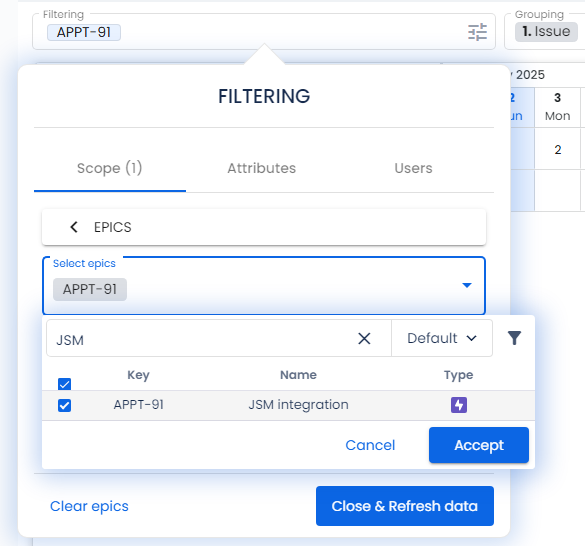
Select AppTime → Timesheets in the Jira's top navigation bar.
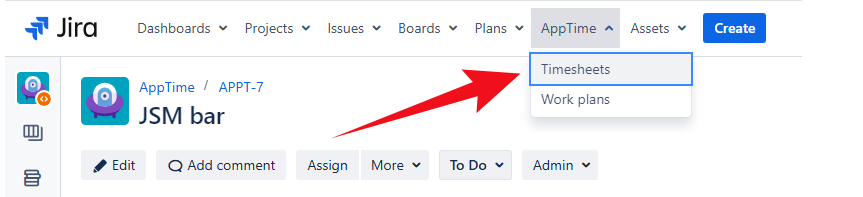
You'll be brought to the Timesheet menu with three sections:
- Predefined - allows to view a predefined timesheets for a current user such as My timesheet (previous month) and My timesheet (current month). Clicking on New timesheet will open an empty timetable page where you can futher define a criteria for the work logs to display.
- "My saved timesheets" section contains all the timesheets saved by current user.
- "Shared with me" refers to the timesheets shared with the current user.
Filtering & Grouping
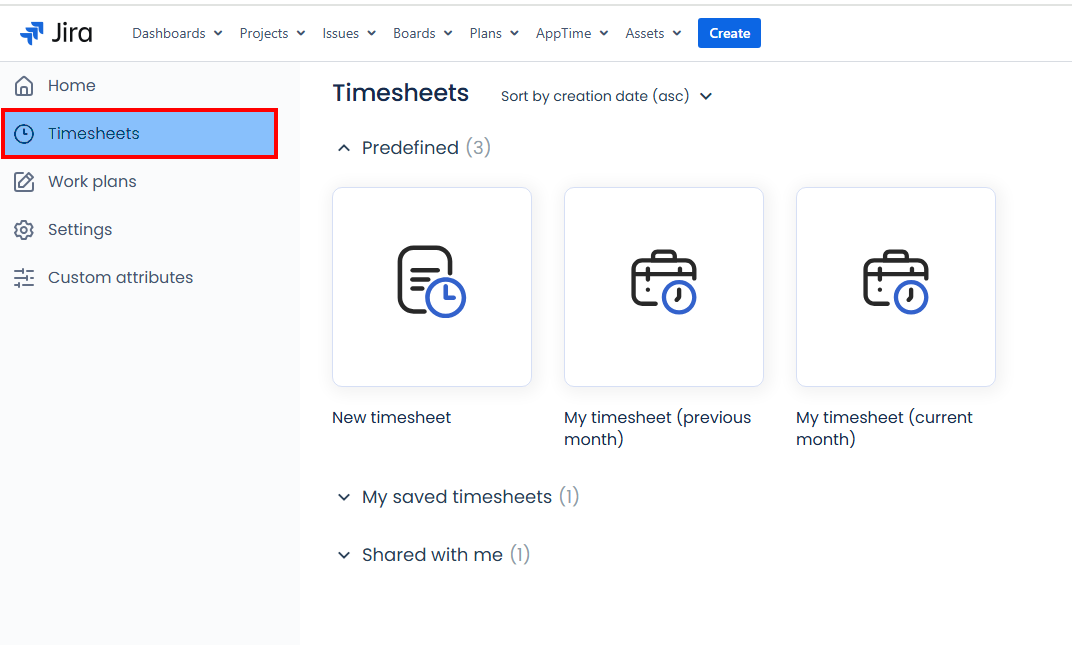
Timesheet is displayed in a form of a dynamic table which can be customized by applying multiple filters.
The display of the timesheet table is flexible. The following customizations are possible:
Data Aggregation: Day, Week, Month, Quarter, Year.
Display Attribute: time attribute: Logged time(default), Billable etc.
Time format: Classic, Decimal. Additionally, Time Notation can be enabled and set to hours or days.
Columns Size: Content Static (static cell size), Content Optimized (cell size is adjusted depending on the time format displayed).
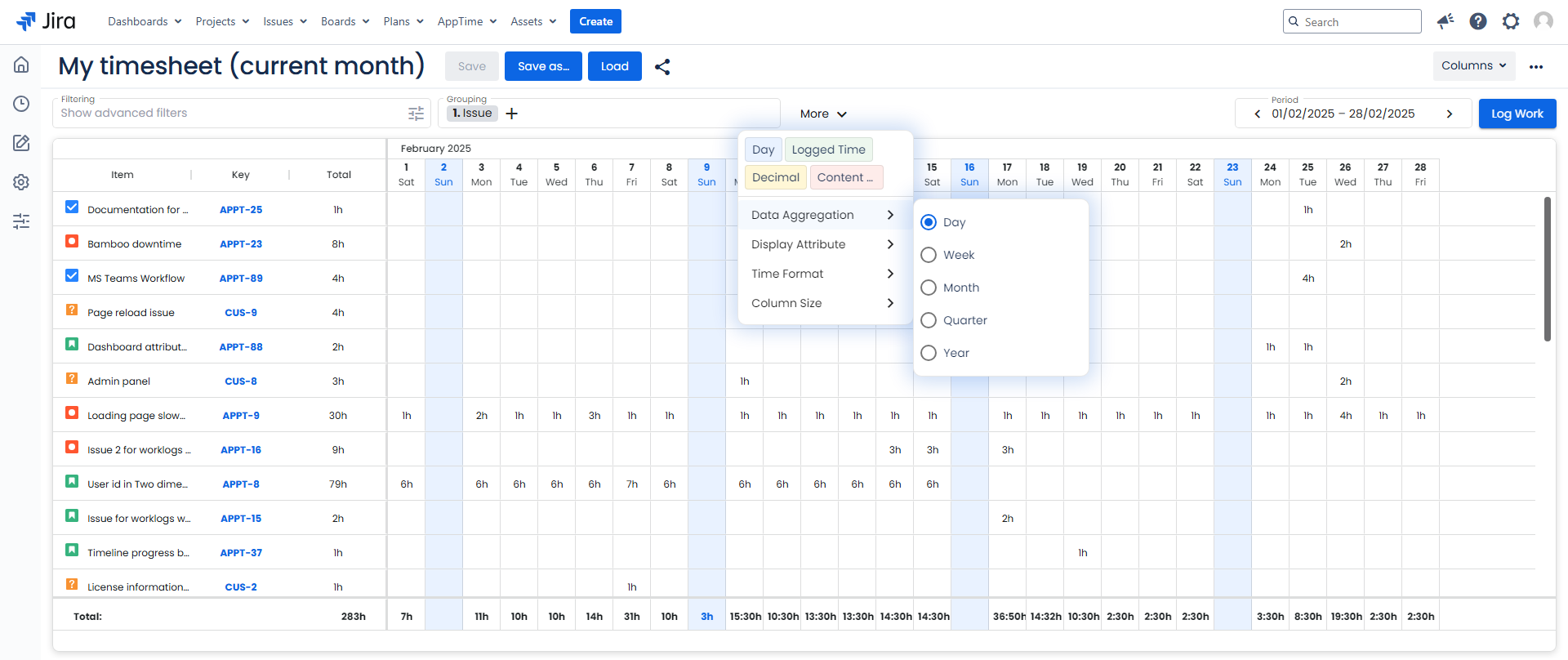
Filters are grouped into three major categories:
Scope - Projects, Issues, Sprints, Epics, Favourite filters, Ogranizations and JQL.
Attributes - worklog attributes such as Logged time, Description, Start date. Additionally, filtering is possible by all the Custom attributes which were added by users.
Users - filtering by Users and User groups.
Worklogs can be futher grouped by:
Components - Project, Issue, User, Worklog, Issue type.
Issue Hierarchy - Issue level, Epic, Sub-task.
Attributes - custom attributes of a List type.