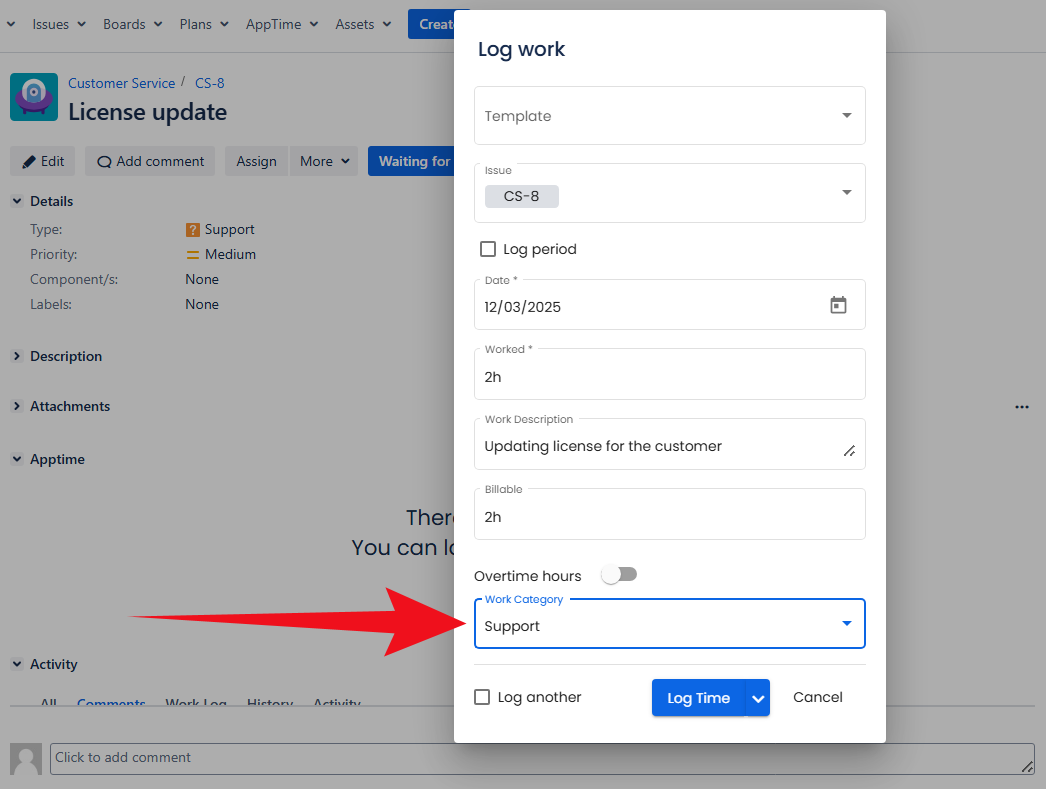
What are custom attributes
Custom attributes (enrichments) - are extra fields that can be added to the work logging screen. Such attributes allow gathering all necessary data of each worklog entry.
This feature was developed to ensure that AppTime users can customize time tracking according to their unique business needs.
Once custom attribute is created, it'll be automatically added to the work logging window for all users.
There are 6 attribute types available for adding:
Flag
Text
List (single/multiple select)
- Date
- Number
- Duration
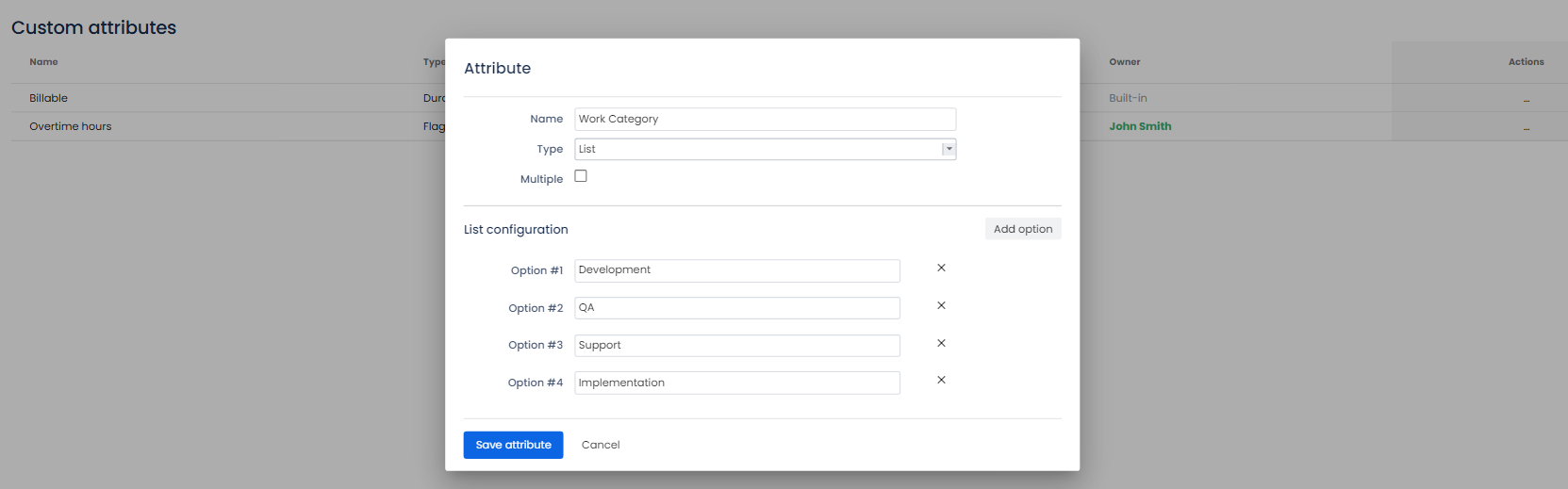
Add an attribute
Log in as a user with the 'Jira Administrators' global permission.
- Select AppTime → Timesheets in Jira's top navigation bar.
- From the sidebar menu, go to Custom attributes → click "Add attribute" button at the top right-hand corner of the page.
Fill in the name and select an attribute type. For the List attribute type: add the options and determine whether to allow selecting multiple entries.
Click Save attribute to confirm.
Edit an attribute
Log in as a user with the 'Jira Administrators' global permission.
- Select AppTime → Timesheets in Jira's top navigation bar.
- From the sidebar menu, go to Custom attributes.
Locate needed attribute → Actions → Edit attribute.
Make the necessary changes → Save attribute.
Delete an attribute
Log in as a user with the 'Jira Administrators' global permission.
- Select AppTime → Timesheets in Jira's top navigation bar.
- From the sidebar menu, go to Custom attributes.
Locate needed attribute → Actions → Remove attribute. → Click Confirm.